
rcooler/omada_exporter
Prometheus Exporter for TP-Link Omada Controller SDN.
50K+
rcooler/omada_exporter repository overview
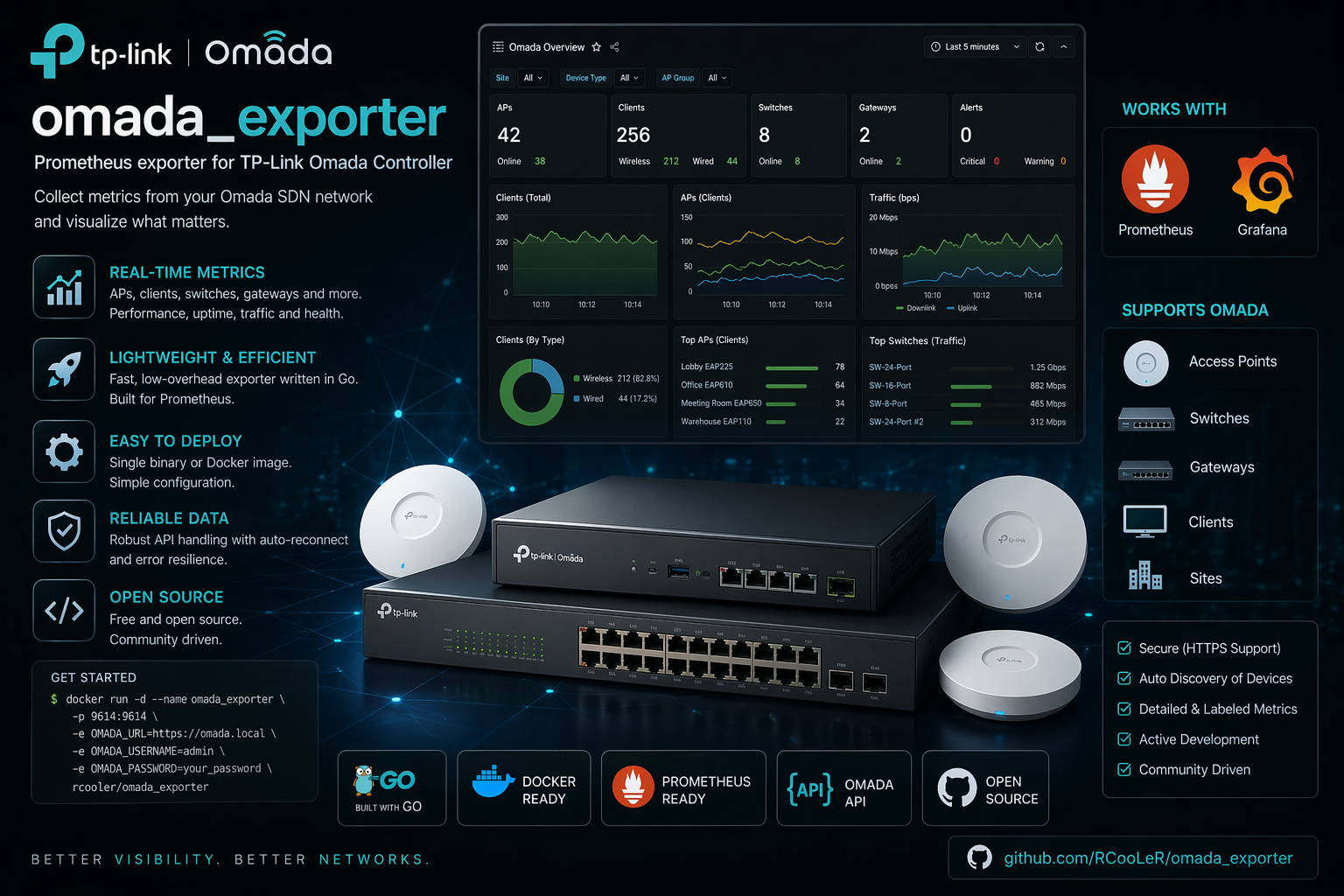
Quick overview
omada_exporter (OmadaBridge) is an unofficial Prometheus exporter and Home Assistant bridge for the TP-Link Omada SDN Controller: hardware, software and Fusion.
It reads one site through both the Web API and OpenAPI and serves metrics for clients, devices, ports, WAN, VPN and more on port 9202. It can also publish the same data to Home Assistant through MQTT Discovery, including device_tracker presence.
rcooler/omada_exporteris a maintained continuation of charlie-haley/omada_exporter with additional metrics and OpenAPI support.
- Images for
linux/amd64andlinux/arm64, running as a non-root user. - Published as
rcooler/omada_exporterandrcooler/omada-exporter; both names carry identical images. - Documentation, Grafana dashboards and Home Assistant cards: GitHub
Changelog
2.4.5 - 2026-11-09
- Added guarded PoE port power-cycling for supported switches and gateways, with Home Assistant port controls. Device control stays opt-in.
- Fixed Home Assistant WAN status on Fusion controllers: it now follows the matching WAN connection state instead of reporting a false outage.
- Fixed client inventory on controllers whose v2 clients endpoint returns HTTP 404 by falling back to v1.
- The Home Assistant card now shows all switch and gateway ports instead of the first 18.
- Updated Go to 1.27.3 and the Alpine base image to 3.24.4, with refreshed dependencies.
2.4.4 - 2026-10-18
- Reorganized controller operations, CLI commands and HTTP wiring internally; metrics and configuration are unchanged.
- Fixed MQTT publisher shutdown when HTTP serving exits, including server startup failures.
Full history: CHANGELOG.md · GitHub Releases
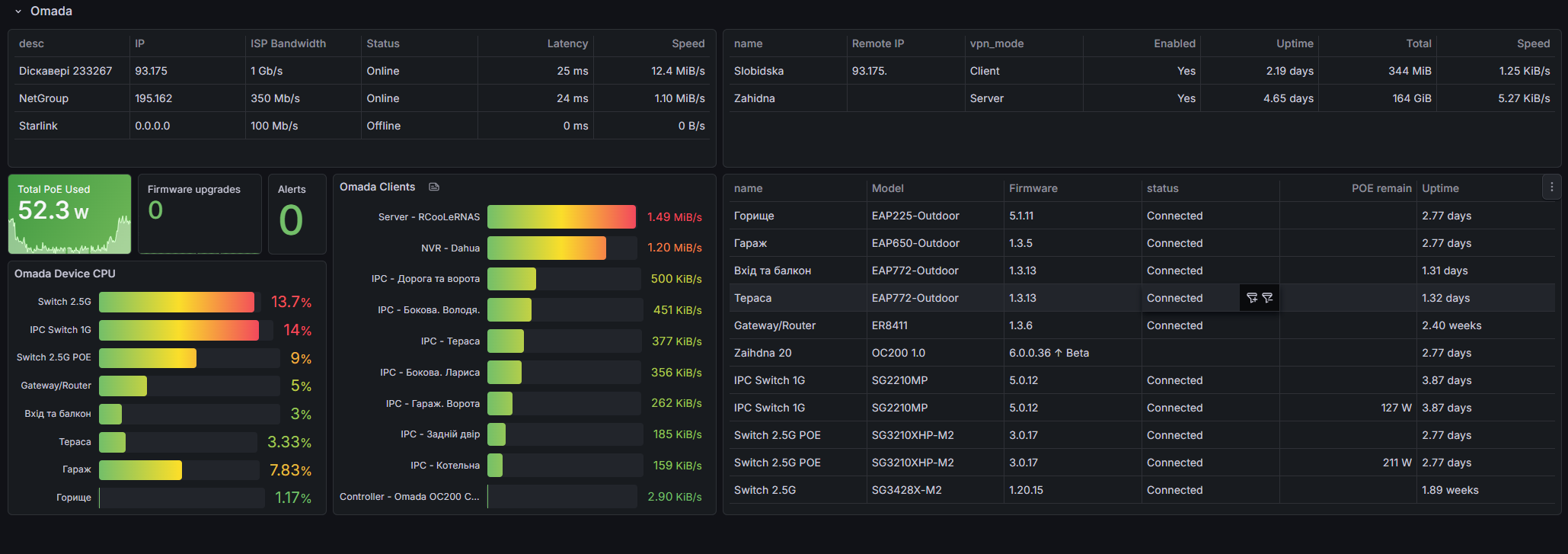
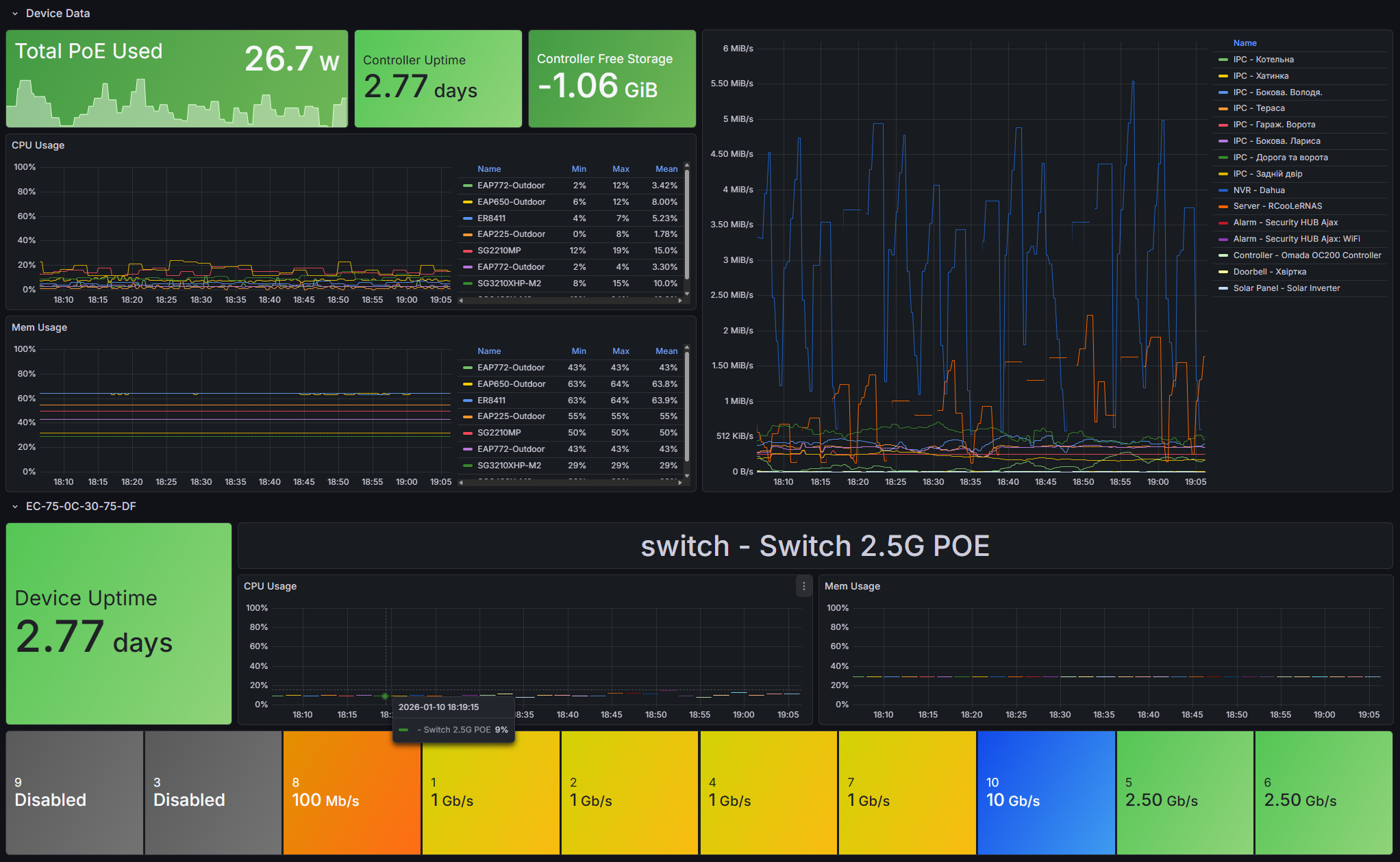
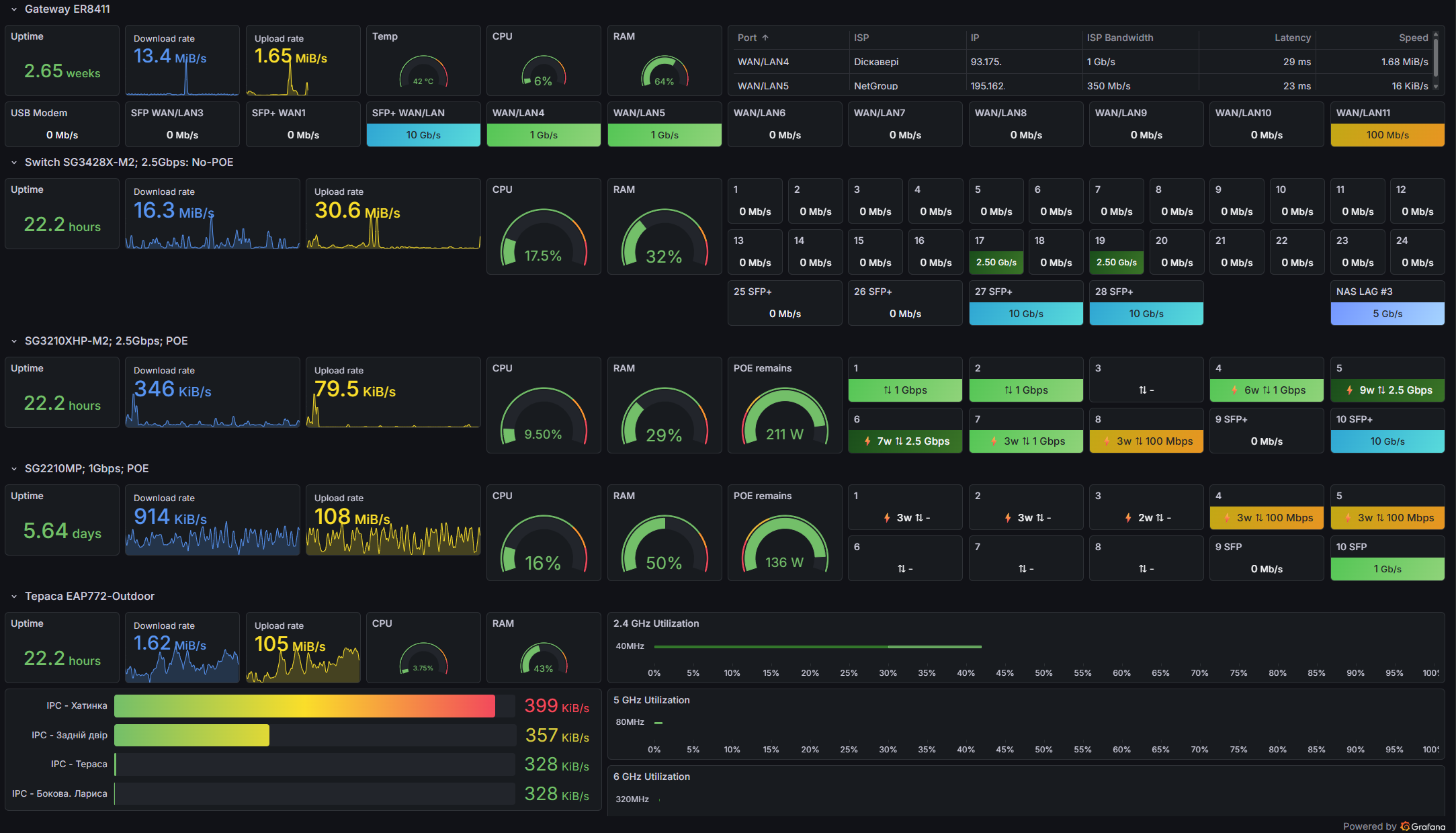
Screenshots
Installation
Omada credentials
- Service user: create it under
Global View > Account > Account. Start with a viewer (read-only) role; if metrics are missing, test with an administrator role. - OpenAPI app (standard controllers): create it under
Global View > Settings > Platform Integration > Open API. It suppliesOMADA_CLIENT_IDandOMADA_SECRET_ID, which the client, ISP, VPN, WAN and network-quality metrics need. - Omada Fusion gateways:
OMADA_CLIENT_IDandOMADA_SECRET_IDcan be omitted. KeepOMADA_SYSTEM_TYPEandOMADA_OPENAPI_AUTHonauto, or force Fusion withOMADA_SYSTEM_TYPE=fusionandOMADA_OPENAPI_AUTH=web_session.
Step-by-step guide: Omada credentials
Docker run
docker run -d \
  --name omada_exporter \
  -p 9202:9202 \
  -e OMADA_HOST="https://192.168.1.20:443" \
  -e OMADA_USER="exporter" \
  -e OMADA_PASS="change-me" \
  -e OMADA_SITE="Default" \
  -e OMADA_CLIENT_ID="openapi-client-id" \
  -e OMADA_SECRET_ID="openapi-secret" \
  rcooler/omada_exporter:latest
Docker Compose
services:
  omada_exporter:
    image: rcooler/omada_exporter:latest
    container_name: omada_exporter
    ports:
      - "9202:9202"
    environment:
      OMADA_HOST: "https://192.168.1.20:443"
      OMADA_USER: "exporter"
      OMADA_PASS: "change-me"
      OMADA_CLIENT_ID: "openapi-client-id"
      OMADA_SECRET_ID: "openapi-secret"
      OMADA_SYSTEM_TYPE: "auto"
      OMADA_OPENAPI_AUTH: "auto"
      OMADA_SITE: "Default"
      OMADA_INSECURE: "true"
      OMADA_TRACK_INSIGHT_METRICS: "false"
      OMADA_TRACK_NETWORK_QUALITY_METRICS: "false"
      OMADA_NETWORK_QUALITY_WINDOW_SECONDS: "86400"
      OMADA_INSIGHT_WINDOW_SECONDS: "86400"
      OMADA_INSIGHT_APPLICATION_LIMIT: "50"

      OMADA_MQTT_ENABLED: "true"
      OMADA_MQTT_BROKER: "tcp://homeassistant.local:1883"
      OMADA_MQTT_USER: "omada_exporter"
      OMADA_MQTT_PASS: "mqtt-password"
      OMADA_MQTT_TOPIC_PREFIX: "omada_exporter"
      OMADA_MQTT_DISCOVERY_PREFIX: "homeassistant"
      OMADA_MQTT_TRACKED_CLIENT_MACS: "aa:bb:cc:dd:ee:ff"
    restart: unless-stopped
OMADA_INSECURE: "true" skips TLS verification for controllers with a self-signed certificate; leave it out when the controller has a trusted one.
Prometheus scrape job
  - job_name: 'Omada'
    scrape_interval: 30s
    scrape_timeout: 30s
    static_configs:
      - targets: ['omada_exporter:9202']
Make sure omada_exporter resolves to the container or host that runs the exporter.
Endpoints
http://localhost:9202/metrics
http://localhost:9202/healthz
http://localhost:9202/readyz
Main environment variables
| Variable | Purpose |
|---|---|
OMADA_HOST | URL of the Omada Controller, including the protocol. |
OMADA_USER, OMADA_PASS | Service user for the Web API. |
OMADA_CLIENT_ID, OMADA_SECRET_ID | OpenAPI app credentials (optional on Fusion). |
OMADA_SITE | Site to read metrics from. (default: Default) |
OMADA_PORT | Port that serves the metrics. (default: 9202) |
OMADA_INSECURE | Skip TLS certificate verification on the controller. (default: false) |
OMADA_REQUEST_TIMEOUT | Timeout in seconds for controller requests. (default: 15) |
OMADA_CACHE_TTL | Seconds to cache controller responses; 0 disables it. (default: 5) |
OMADA_TRACK_PORT_METRICS | Export per-port metrics. (default: true) |
OMADA_INCLUDE_PORT_ACTIVITY_LABEL | Include the port_activity_label label on port metrics. (default: true) |
OMADA_MQTT_ENABLED | Publish to Home Assistant through MQTT Discovery. |
OMADA_ALLOW_DEVICE_CONTROL | Opt in to the reboot, Wi-Fi reconnect and PoE controls in Home Assistant. |
LOG_LEVEL | Application log level. (default: error) |
Every option: installation guide
PS
-
omada_client_upload_activity_bytescomes from a controller API that returns unreliable values. Use the traffic counters instead:rate(omada_client_traffic_up_bytes[3m]) rate(omada_client_traffic_down_bytes[3m]) -
Last tested on OC200, firmware 6.2.0.12 (ER8411, SG3428X-M2, SG3210XHP-M2, SG2210MP, EAP772-Outdoor, EAP650-Outdoor, EAP225-Outdoor, EAP725-Wall).
-
OpenAPI docs: https://use1-omada-northbound.tplinkcloud.com/doc.html
Legal
MIT licensed. OmadaBridge is an unofficial DIY open-source project and is not affiliated with, endorsed by, or sponsored by TP-Link, Omada, Home Assistant, Prometheus, or Grafana Labs. Product names are trademarks of their respective owners and are used only to describe compatibility and integration.
Tag summary
Content type
Image
Digest
sha256:56dccab66…
Size
9.4 MB
Last updated
18 days ago
docker pull rcooler/omada_exporter